
A whole recording studio in a web page.
Record, edit and mix with anyone, anywhere. Nothing to install. Open a link and you are in the studio.
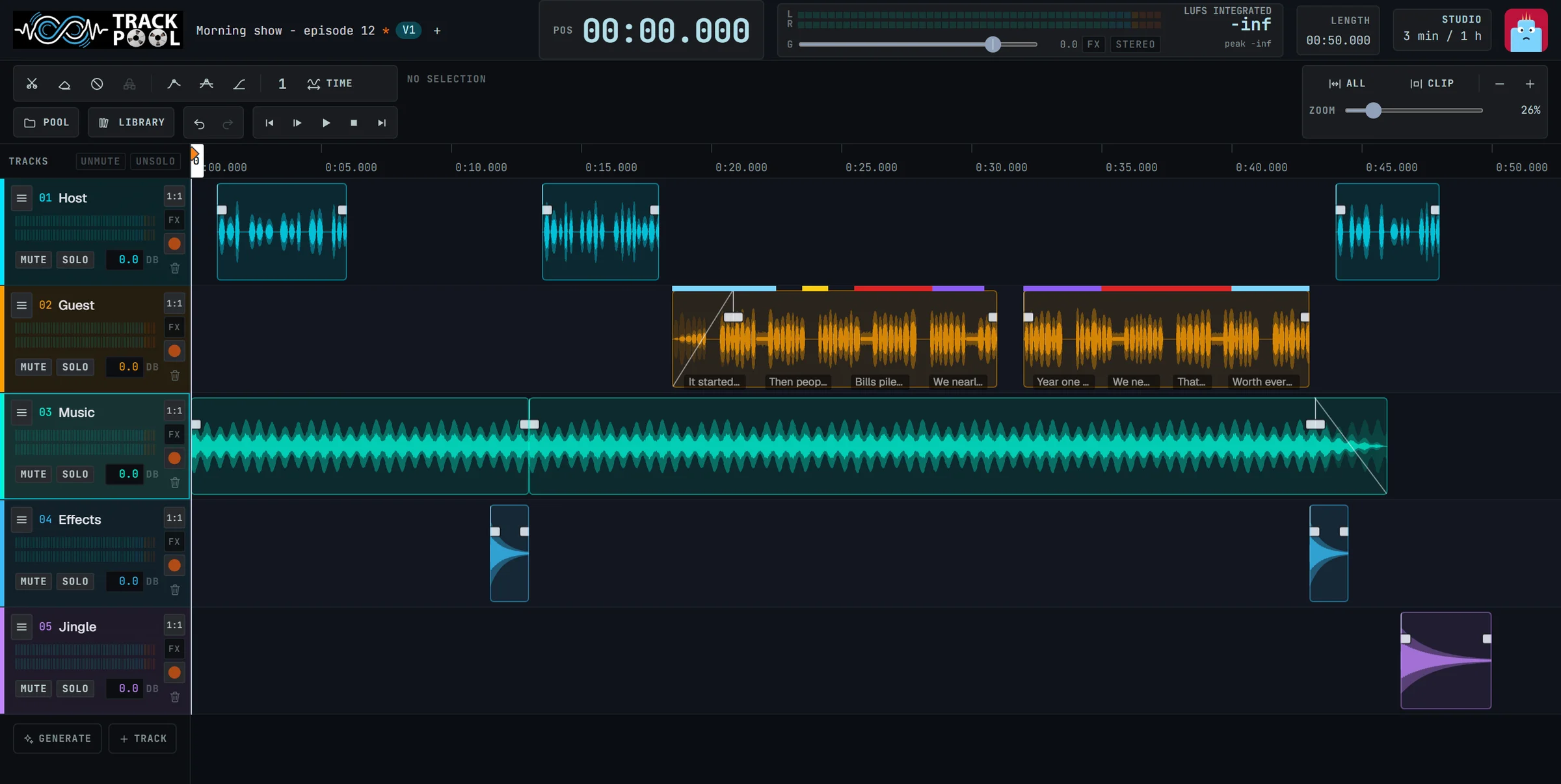
Nothing to install.
It opens in your browser, like any website. Works seamlessly on Chrome, Safari, Firefox, and Edge.
Your gear just works.
Your sound card and USB microphones are recognised automatically the second you connect them.
Free to start.
No card needed to try it. Open a project and begin recording your ideas in three seconds.
Three things you did not expect from a web page.
Record someone who is somewhere else.
Send a link. They press Record on their own computer or phone. Their voice lands on a track of your project, and you see it appear while they speak.
Make a voice fit the time. Without speeding it up.
Thirty-three seconds of voice for a thirty-second slot? Track-Pool shortens the pauses and leaves the words untouched. It still sounds natural.
Describe a sound. Get it.
Type “rain on a tin roof with distant thunder”. A moment later, the sound is on your track. No sound library to search, no recording to make.
One project. Everyone in the same room.
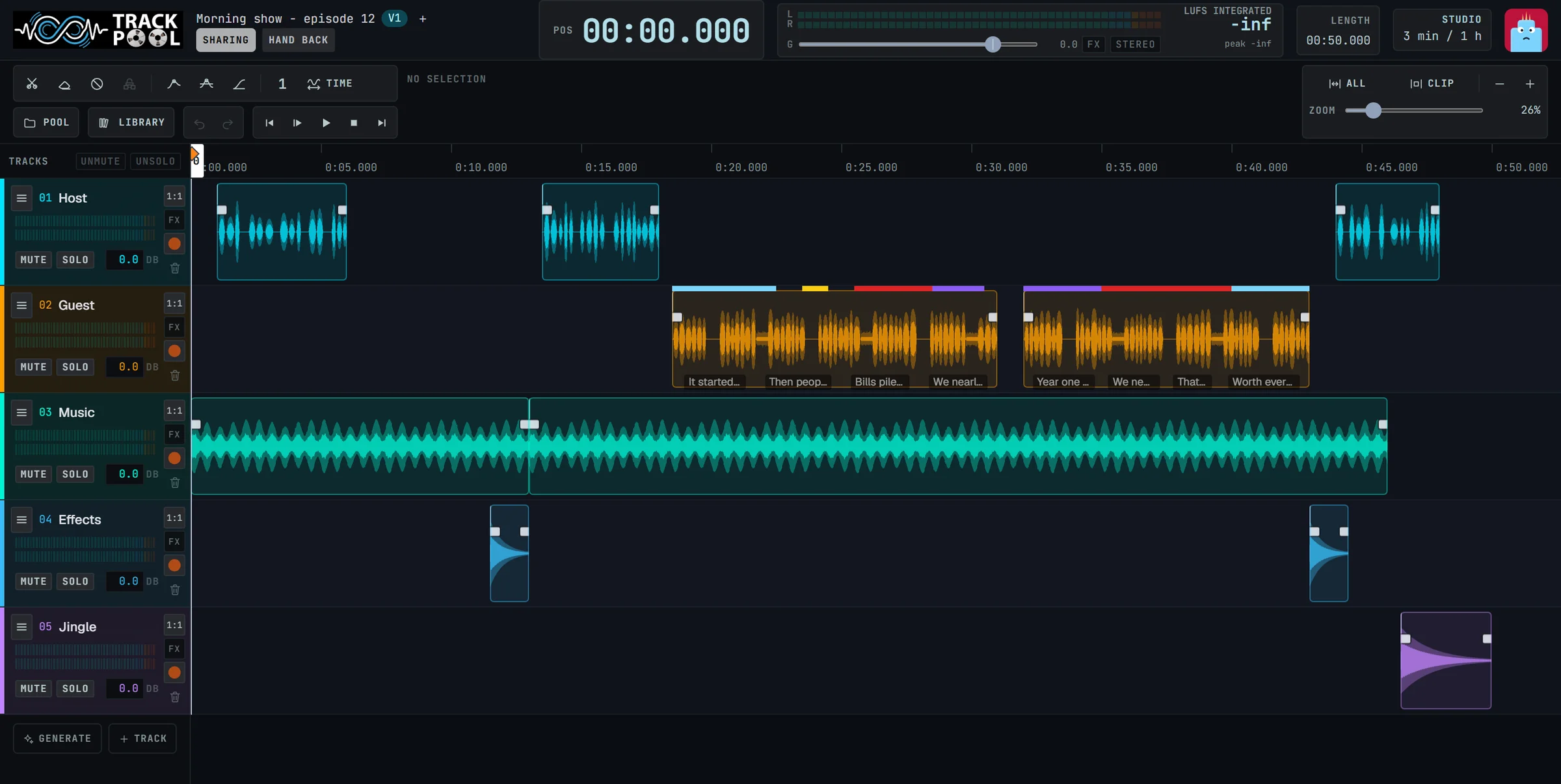
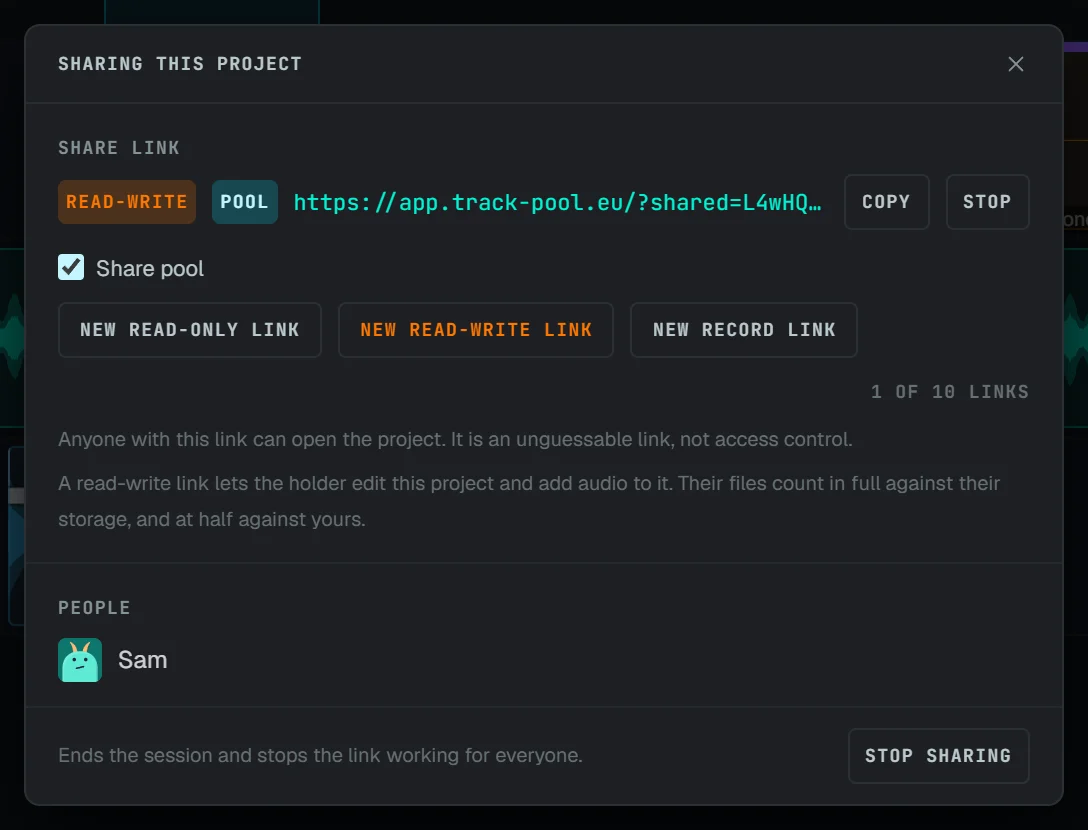
Stop sending files back and forth. Share a link and work on the same project at the same time, wherever each of you is.
Share in one click.
A link is all it takes. Choose whether people can only listen or also edit.
Take turns, live.
Everyone sees the changes as they happen. One person edits; the others watch and take over when it is their turn.
Record from afar.
Your guest, your actor or your student records straight into your project.
All the classic studio tools. And a few new ones.
Everything you expect from an audio studio, plus AI helpers that do the tedious work for you.
Record
Several tracks, with your own microphone. Clean zero-latency monitoring.
Cut and arrange
Move, trim and fade sounds with the mouse or a finger on your tablet.
Remove noise
Hum, hiss and background room noise gone in one single click.
Repair a voice
Make a phone call or a poor microphone recording sound clear again.
Split a song
Separate the voice, the drums, the bass and the rest into individual tracks.
Speech to text
Get the words of a recording as clear captions, in the language you choose.
Effects
Reverb, tone and volume control, with ready-made presets you can trust.
Check loudness
Know instantly when your mix is at the right level to publish to Spotify or YouTube.
You already know how to use it.
Track-Pool starts simple and grows with you. No confusing manuals or 200-button menus.
Basic mode.
Only the essential tools on screen. Switch to Advanced when you are ready.
Guided tours.
The app walks you through your first recording, your first edit, your first shared project.
Tip of the day.
One small practical trick each time you open it to help you sound better.
For everyone who tells stories with sound.
Schools and teachers
A whole class recording in minutes. No accounts to create, no training session to give. Students just click the link.
Podcasters, voice actors and studios
Record your guests remotely with studio clarity and finish the episode together right inside the browser.
Video creators
Clean up your dialogue sound, add warm room presence, and make every spoken sentence fit your timeline edit.
Your sound stays yours.
The AI tools run directly on your own computer. Your audio recordings are never uploaded or sent to an outside AI service.
“A whole recording studio in a web page. Track-Pool makes your audio work faster and more efficient.”

Your studio is one click away.
Open it, plug in your microphone, press Record.
Start for freeNothing to install. No card needed.